
Zenkesk Explore with Intento
Zendesk Explore is a reporting and analytics tool that provides insights into your Zendesk data. It allows you to track key metrics, create custom reports, and monitor your team’s performance to help improve customer support operations.
How to generate a report with all the tickets translated using Intento?
Log in to Zendesk Explore.
Go to Reports.
Press the "New Report" button.
Filter by "Support" and then "Support - tickets".
Press the "Start Report" button.
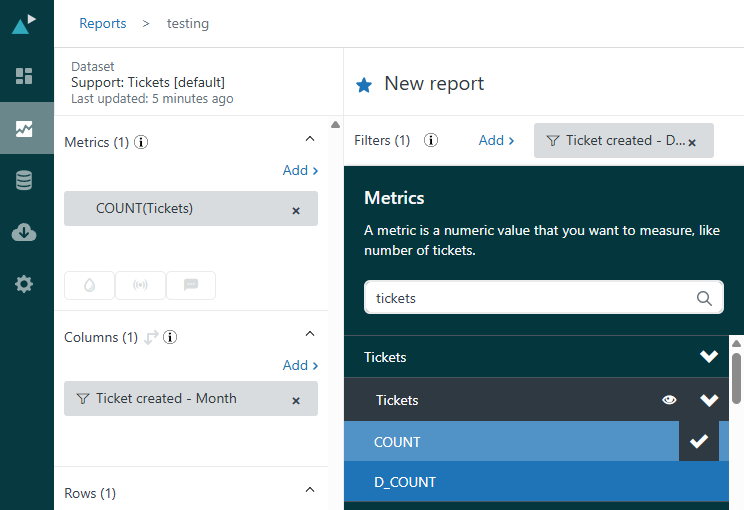
Add ticket count to the Metrics fields as shown below:
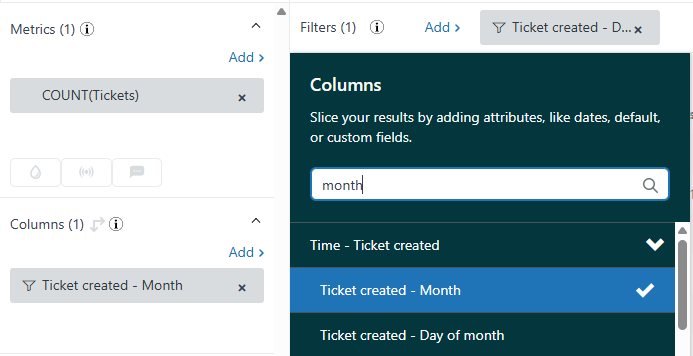
To the Columns fields, please add "Ticket created - Month".
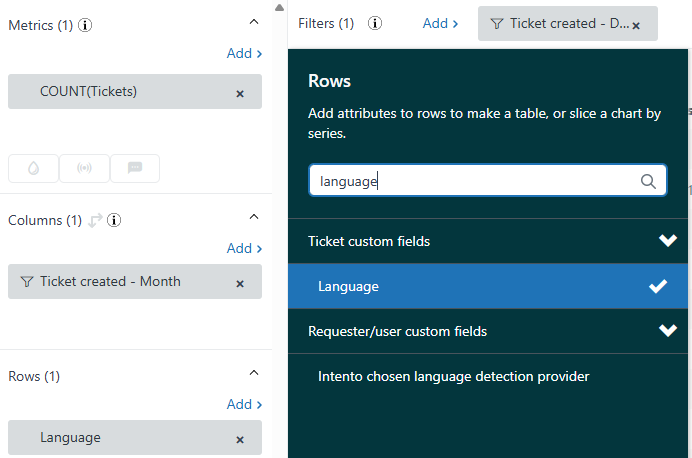
And finally, add "Language" to the Rows field.
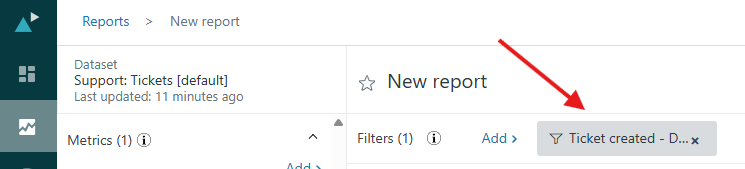
Then, adjust the date range by clicking here and selecting the desired dates.
After you generate the report, you should receive something similar to this:
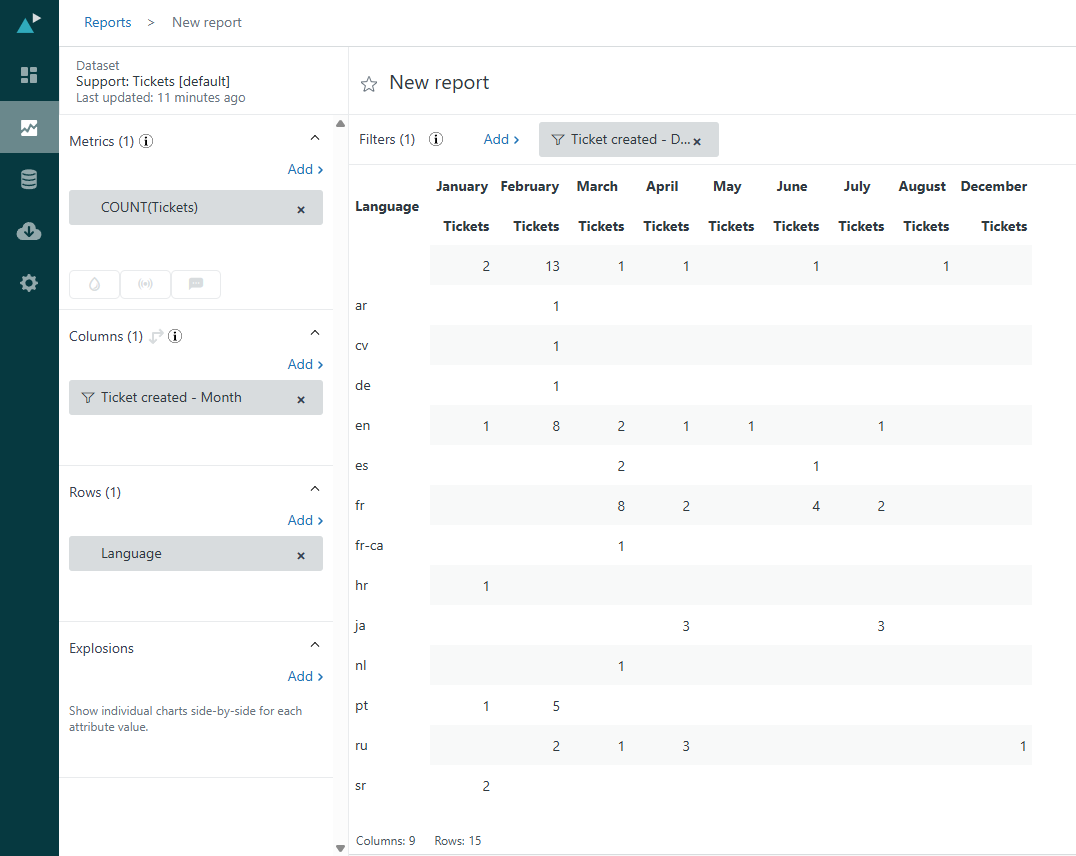
Here you'll be able to see how many tickets were translated to each language.